
01 / REMEMBER
It watches the work, not you.
The program in front of you and the title of what is open become a local timeline. That is where "Q3 budget model.xlsx" comes from. There are no screenshots, no keystroke logging, and no webcam.
Automatic time tracking
Project Timebook sits quietly behind your work and records what was actually in front of you, minute by minute. No timer to start. No timesheet to reconstruct from memory. And none of it ever leaves your computer.
Free early access after WyConnect sign-in. No trial or payment.

What it actually does
01 / REMEMBER
The program in front of you and the title of what is open become a local timeline. That is where "Q3 budget model.xlsx" comes from. There are no screenshots, no keystroke logging, and no webcam.
02 / WRITE
Pick a period and press Generate. Project Timebook reads the apps and documents it recorded and writes a detailed, client-ready brief of the work you actually did. No sorting, no projects, no filing. Your own OpenAI key, previewed before anything is sent.
03 / BILL
Any range of days, grouped by app or day, rounded the way you actually bill. Export a CSV that a billing system can read.
The part that matters
Every captured window title, document name and app goes into an encrypted database file on your own disk. Project Timebook has no server to send it to. This is not a setting you have to find and switch on, and it is not a plan tier. It is how the product is built, and it is the whole reason to trust a time tracker at all.
Control nobody else gives you
Most trackers record everything and let you hide it afterwards. Hiding is not privacy. In Project Timebook an excluded app never reaches the database in the first place, so there is nothing to leak later.
App name plus the window or document title. This is the default, and it is what makes a block recognisable three weeks later.
The app name is kept, the titles never are. Good for Slack and messaging, where you want the hour but not the conversation.
Nothing is written at all. Your bank, your password manager, your personal browser. The timeline just shows plain untracked time.
The real application
Everything shown here is a capture of the running desktop app, taken from the current build.


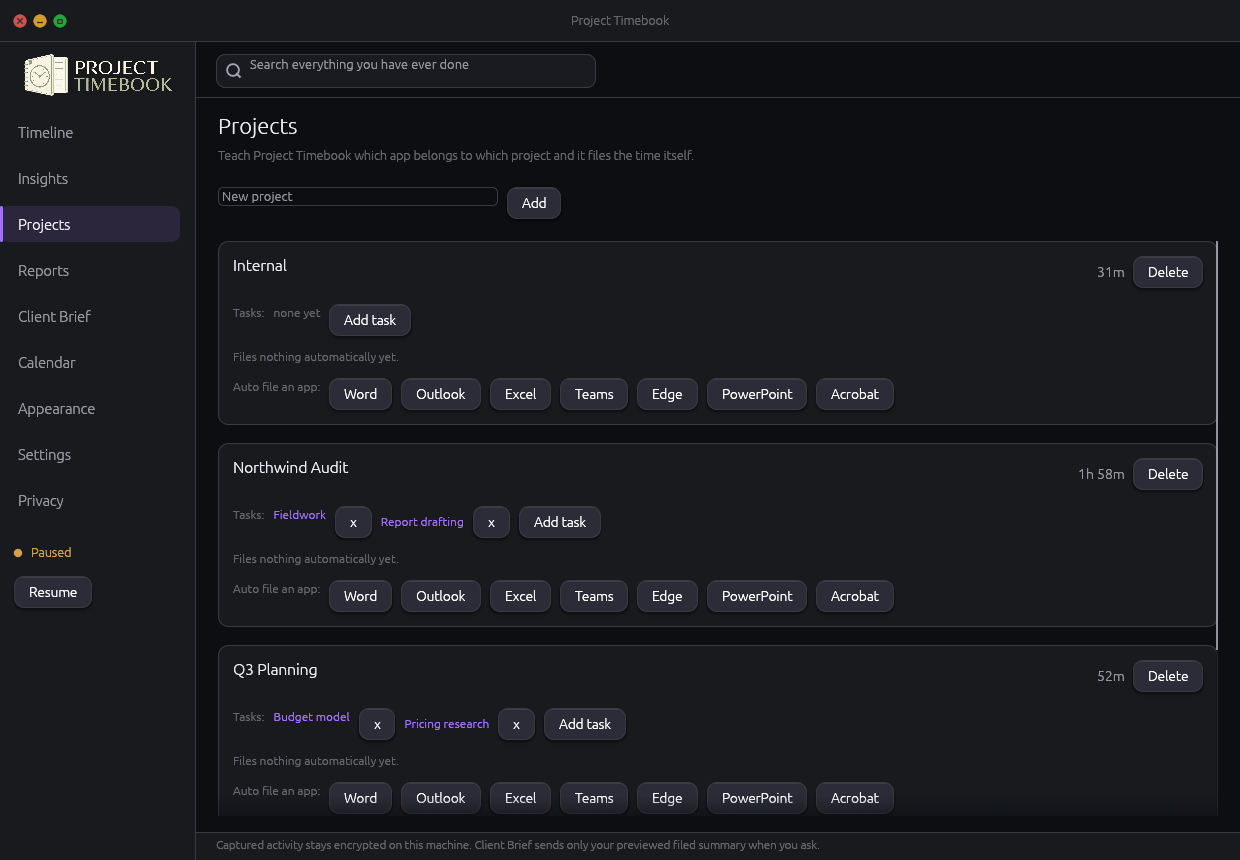
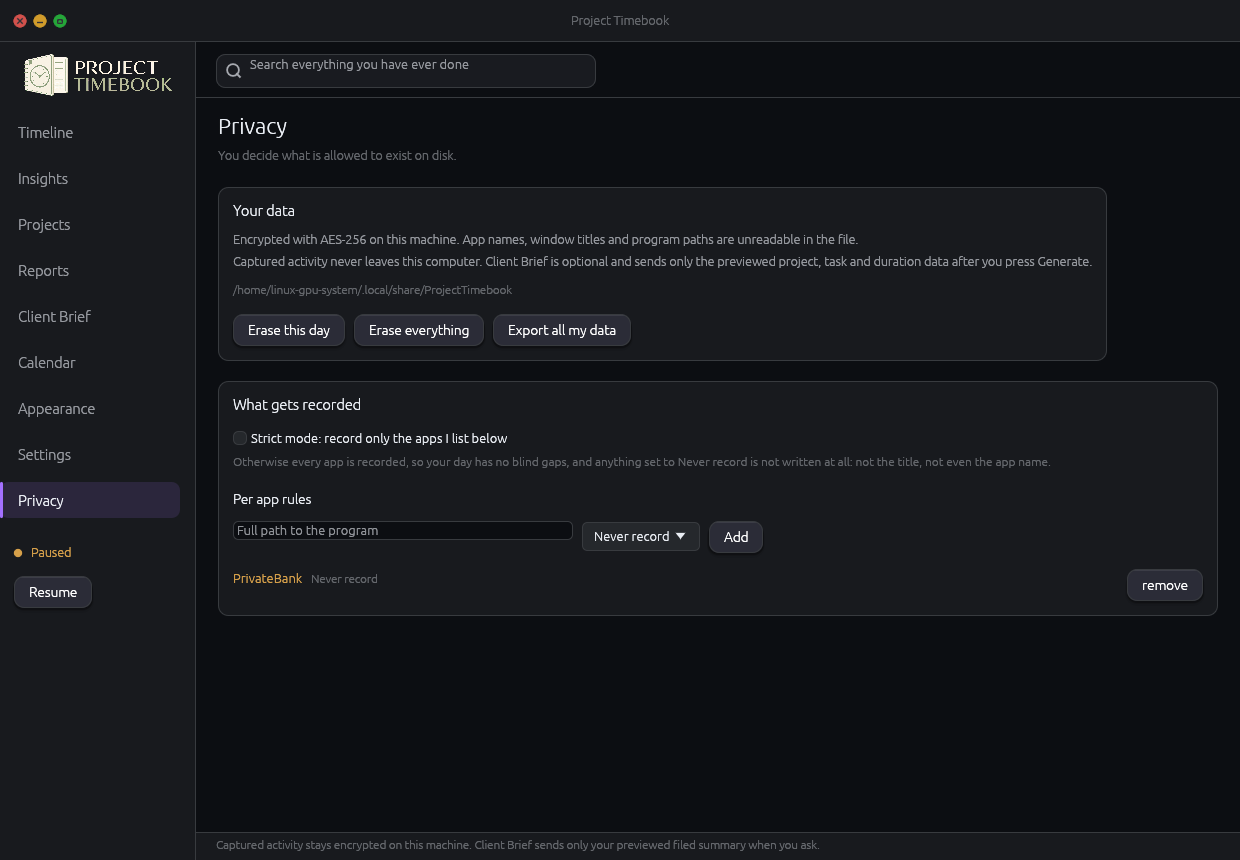
Mac-first early access
Project Timebook is available now for Intel Macs running macOS 13 or newer. Windows and Linux are coming soon.
macOS
Install Project Timebook in Applications and keep your encrypted timeline and settings untouched when you install an update. An official Mac App Store release will follow.
Windows
Project Timebook for Windows is coming soon.
Linux
Project Timebook for Linux is coming soon.
Early access
Sign in with WyConnect and use every feature now. There is no trial and no payment while early access is open.
Straight answers
No. Project Timebook is bought and installed by the person using it, and there is no admin console, no team dashboard, and no remote view of anyone's timeline. There is nowhere for that data to go, because it never leaves the computer it was recorded on.
Neither. It reads the name of the program in the foreground and the title of the window, once a second, and nothing else. No screen capture, no key logging, no camera, no microphone.
It notices. After your idle threshold passes it closes the current block and writes plain away time instead of billing you an imaginary hour of Chrome. Locking the machine or letting it sleep does the same thing.
Yes. WyConnect is required to use Project Timebook, including during free early access. It identifies the person using the app and never receives their timeline, projects, or hours.
Install it this afternoon and by tomorrow evening you will have a complete, accurate record of a day you would otherwise have had to reconstruct from memory.
Early access is open. If anything is not working right, contact Brandon directly.